Recording to camera without reading like it
Keep your script under the camera so your eyes stay where the audience is, and share a screen without showing your notes.
The tell is always the eyes. A script beside the camera means your gaze slides off, and everybody watching knows you are reading even if they could not say why.
The notch prompter puts the line under the lens. Ghost mode lets the script sit over whatever you are demonstrating without being in the share.
It scrolls when you speak, so you are not timing a scroll speed against a sentence you have not finished.
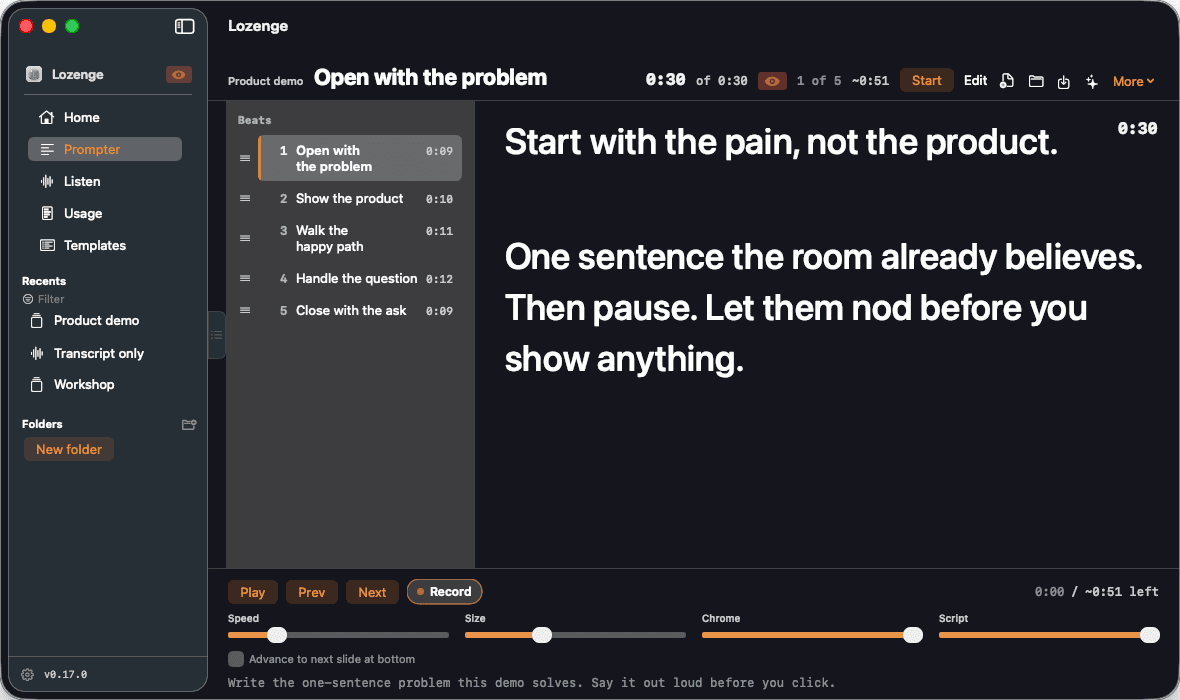
What you would be using
- The notch prompter, under the camera, free
- Ghost, so the script sits over your work without joining the screen share
- Listening Sync, which scrolls with your voice rather than on a timer
- Webcam recording and the Slides bridge, on Presenter
What it does not do
The full Prompter is a Mac application, and there is no web version to use from somebody else's machine. Lozenge for iPhone reads and records on the phone, but the notch prompter, Ghost, and the Slides bridge are Mac only.
For this, the free plan is enough
The notch prompter, Ghost, and Listening Sync are all free. Presenter adds webcam recording and the Slides bridge, if you want them later.
Not quite you? Answer three questions and get the plan that fits.
A scenario, not a case study. Nobody here is a real customer.