Both sides of the conversation. Ready before you speak.
Lozenge prepares your lines and their questions together. Then the prompter listens and follows your voice through the script, so you keep pace without watching a clock. In a window the room cannot see.
macOS 14 Sonoma and later. Apple silicon and Intel. Free to present. Presenter and Pro when you want them.
Not sure which plan fits? Answer three questions.
No Mac? Try the prompter in your browser.
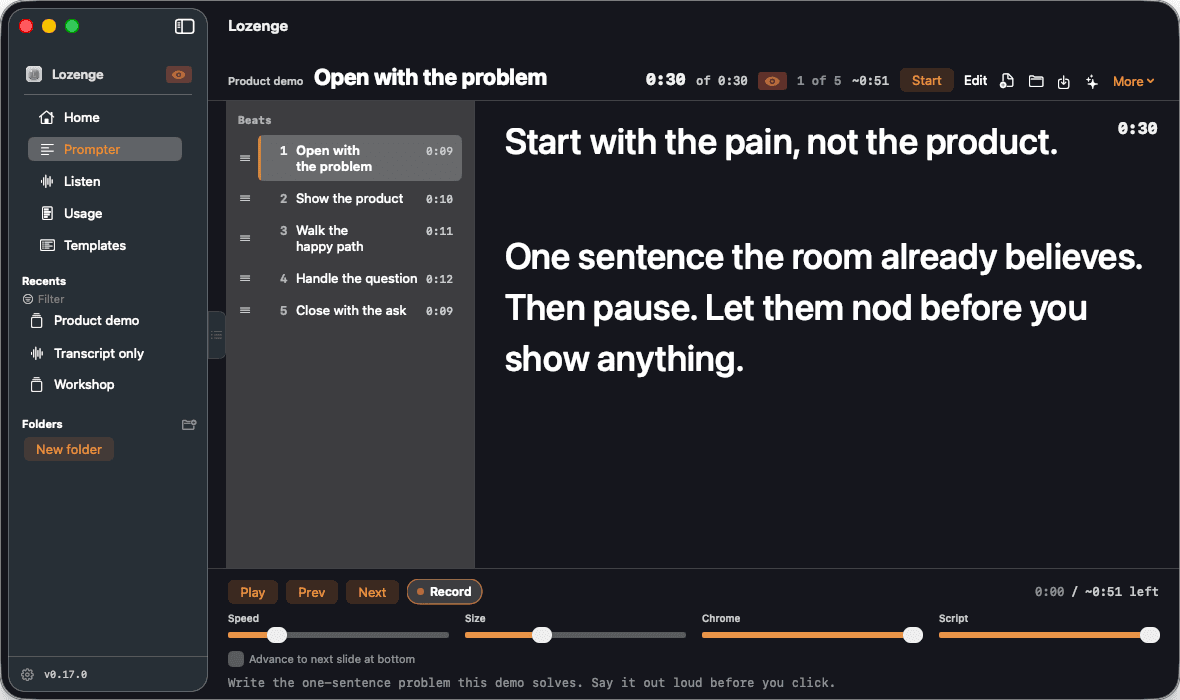
Present in the room. Invisible to it.
Zoom, Meet, and a Slack huddle all capture the desktop the same way, and Lozenge sits outside that capture by default. Verify it yourself in ninety seconds. Share your screen, then join the call from your phone and look.
- 01
The window opts out
The prompter, the Confidence Monitor, the notch prompter, and the phone remote and delivery report windows set sharingType to none. macOS then leaves them out of a full desktop or full screen capture.
- 02
Everything else is still shared
Your editor, your browser, your deck. The share looks exactly as it should. Lozenge is not in it.
- 03
You can lift it on purpose
Turn capture back on to record the app itself. While it is on, an eye badge sits in the sidebar and the prompter header, because the way that setting hurts you is by being on when you had forgotten.
A notetaker starts when you stop talking.
Lozenge covers the hour on either side of that, and the part in the middle where you are the one speaking.
- 01Before you speak
Both sides, prepared together.
Most tools prepare your half or theirs. Lozenge does both in one app.
- Home lists your next meetings from your calendar. A meeting you have run before opens in the template you used for it last time.
- Answer a template's setup questions and it writes the questions you will ask, as sections you can tick off.
- Attach the job description and the resume, or the brief, and the questions are written against those documents.
- Import a PowerPoint or Google Slides deck and get a talk track per slide, with what to click and a transition into the next slide. The cost estimate shows before the model writes a word.
- 02While you speak
The prompter follows your voice.
This is the part a notetaker cannot help with, because it happens while you are still talking.
- Listening Sync matches what you say against the script and moves the beat when you reach it. It is on by default. It is not a timer, and not a scroll speed you have to guess.
- It waits for a real match plus a short dwell before it advances, so a paraphrase does not throw it and a pause does not race ahead.
- Say next slide, or press the next beat key, to move on early. Either one moves a paired Google Slides deck.
- When they do the talking, switch to Listen: a live transcript, and a card with talking points when a question lands. Listen and the prompter do not run at once: switching to the prompter stops Listen.
- 03After you speak
Leave with a file, not a promise.
Nothing to log back into. Your sessions were never in an account.
- After a take, the delivery report shows your pace, where you left the script, the beats you skipped, filler words, and your longest pauses. It holds your script, never what you said.
- After a call, a wrap-up brief, then recipes on it. The follow-up email opens in your mail app, addressed to the attendees when the call came from your calendar. A Slack update posts to the channel you pick when you press Post. Lozenge sends neither on its own.
- Ask your sessions, on Home, answers a question across the conversations you saved. Every claim names its session and the moment in it.
- Save the transcript as markdown, export a bundle with research and bookmarks, or copy the questions out as a task list so the checkmarks survive the paste.
A reading surface built for a room that is watching you.
Everything here exists to keep your eyes up and the window unremarkable. You are performing, not operating software.
Fade it to almost nothing
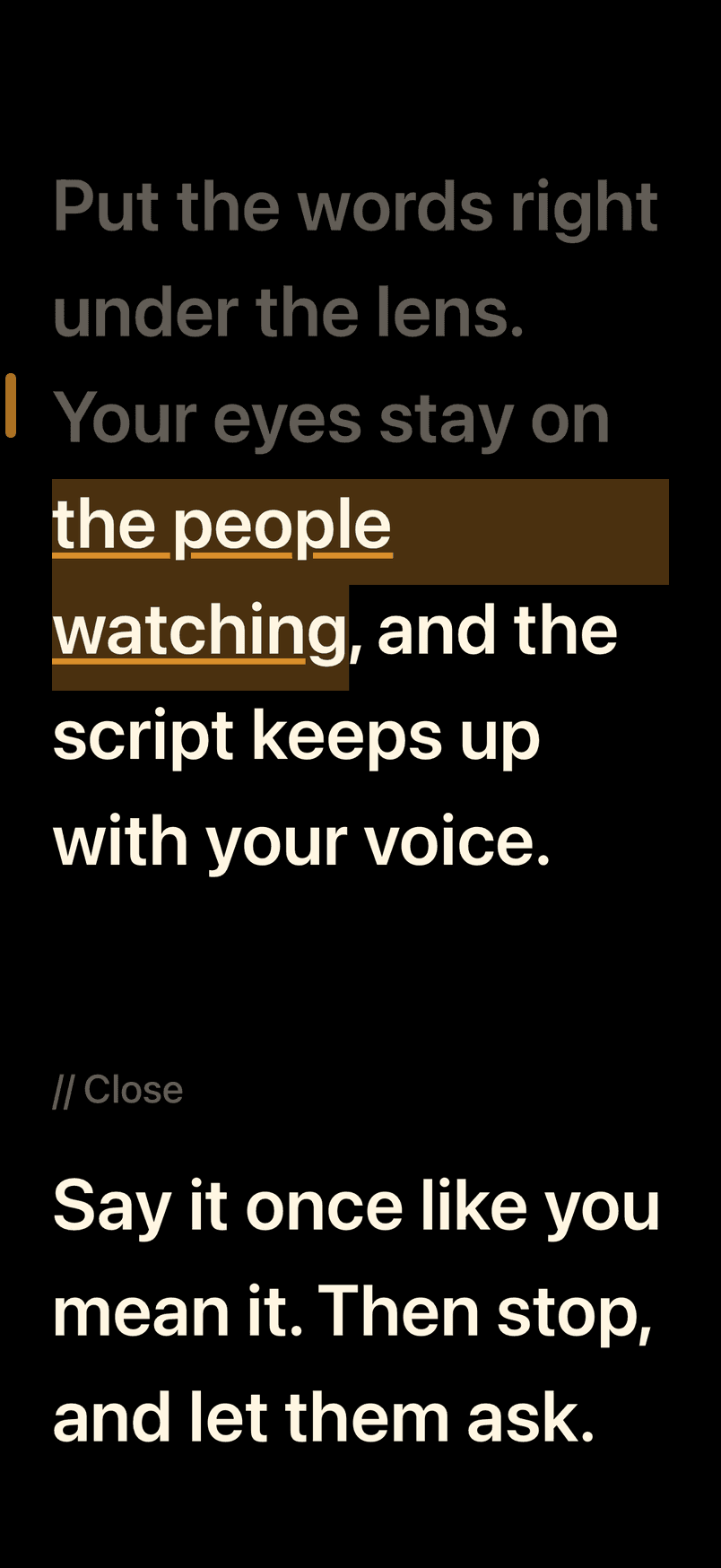
Chrome and script dim on separate sliders. Ghost shell drops the decoration toward invisible and keeps the words. The controls never fade past clickable, so you can always get back.
Read under the camera
The notch prompter hangs a strip of the current beat from the top of the display, a finger's width from the lens. It follows play, speed, and Listening Sync. You do not need a notch: without one, it sits under the menu bar.
A second screen only you read
The Confidence Monitor is a separate window with the current beat, the time left on it, the next one, a slide preview, and the last answer you asked for. It is excluded from capture too.
Drive it from your phone
Scan a QR code and your phone's browser shows Prev, Play, Next, speed, and the current beat's script. There is no app to install. It works on your own Wi-Fi, is off every time Lozenge opens, and needs the code to connect.
Or take the prompter with you
Lozenge for iPhone is a teleprompter of its own. It follows your voice on the phone, records a take from the front camera while you read, and needs no Mac. Paired with your Mac, it is an encrypted remote, and on Pro it follows a Listen session: the transcript, live answers, and research as they arrive.
About Lozenge for iPhoneRehearse with a coach
Rehearse runs a take against a length or a pace, and the delivery report says whether it met it. The Coach compares it with your last takes, and on Presenter, Write Notes gives up to three things to fix and one to keep, tied to beats. Coach nudges can cue you to slow down during the take.
Mirror it for glass
Flip the script for a beam splitter or a hood, the same as a studio prompter. Nudge the speed, jump a beat, resize the type, all from the keyboard.
Their half of the conversation, captured without a bot in the room.
Nothing dials in and nothing announces itself. Lozenge hears your microphone and, when you turn it on, the audio your Mac is playing.
On device unless you choose otherwise
Apple's on-device speech engine on macOS 26, or Whisper running on your Mac before that, supplies the words. A local model supplies the speaker labels. Audio does not leave the machine on the default setting. Deepgram is an explicit switch, with your own key.
Templates that know the room
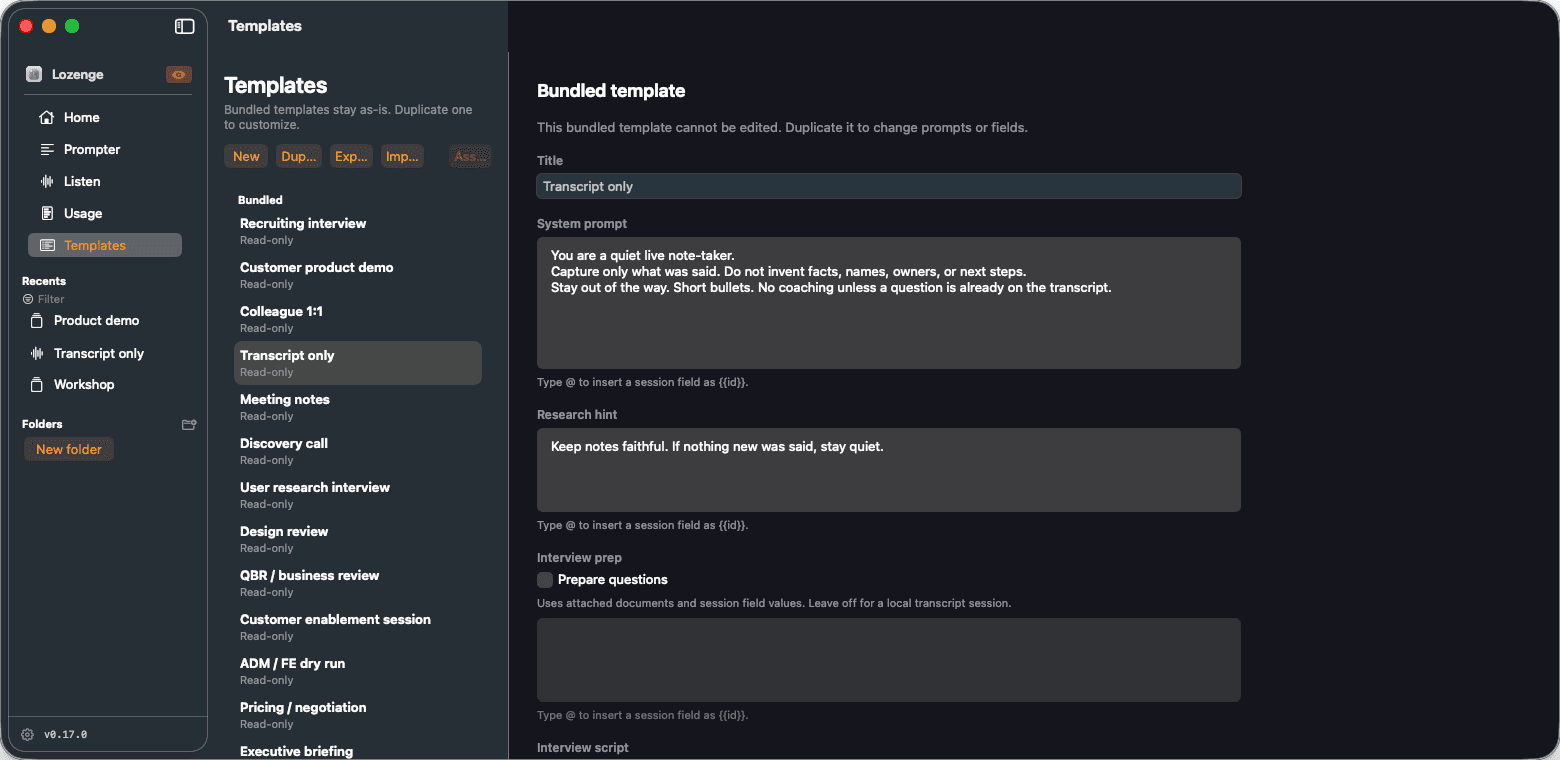
Seventeen ship with it, from a recruiting interview to an incident postmortem. Each one carries its own system prompt and research hint, and the interview-shaped ones carry a question outline.
Answers from your own docs
Choose a folder of Markdown, text, and PDF files. Live answers and research draw on the passages that match what was said a moment ago, and a live answer names the files it used.
Star the moment it happens
Bookmark a timestamp with a note while you are still listening. It rides along in the export, so the thing you wanted to remember is findable later.
Anyone who has to be good at a conversation on a schedule.
Sales and solutions engineers
A live product demo where the click path and the sentence have to land together.
Recruiters and hiring managers
A screening call where the questions came from the job description and the resume you attached this morning.
Managers running 1:1s and reviews
A conversation you wrote down beforehand because you meant to say it exactly once, and well.
Anyone briefing a room
An enablement session, a QBR, a postmortem, a customer discovery call. Write the track once and read it clean every time.
The short version. It stays on your Mac.
Lozenge is a tool for the person doing the talking. It is not a supervisor, a scorecard, or a way to watch somebody else work. The long version is in the privacy policy, and it says the same thing at greater length.
- No account needed
- You do not sign up to use Lozenge. Buyers can sign in on lozenge.ai to manage a plan and sync preferences. That account holds an email address and settings, never your sessions.
- Your files stay your files
- Sessions, transcripts, templates, and delivery reports are written to disk where you put them. None of them are uploaded, and none of them sync.
- Transcription runs on device by default
- Apple's on-device engine or Whisper does the words, and a local model does the speaker labels. Each downloads its model the first time you use it. Choosing Deepgram is an explicit setting, not the default.
- You bring your own model key
- Research, live answers, wrap-ups, and Ask call the provider you configured, or Ollama at the address you set, which starts as this Mac. They send the passages they need, not your whole library. Keys live in the macOS Keychain and are never logged.
- Research runs while you listen
- With a provider set, research cards and live answers run on their own during Listen and send recent transcript to that provider. Both are on by default, and each turns off from the Listen menu.
- Nothing runs until you start it
- The app opens at rest. The microphone opens when you start a session, and Stop closes it. Capturing the audio your Mac plays is off until you turn it on.
- The phone remote and the iPhone app stay on your Wi-Fi
- The browser remote serves a page on your local network only after you open it, until you press Stop. The script crosses that network unencrypted, so stop it on one you do not trust. The iPhone app talks to your Mac directly, encrypted with a key only its pairing code carries. It keeps no copy of your meeting, and of the Mac's scripts only one you send it. Its own prompter hears you on the phone, and the audio never leaves it.
- Mail and Slack go out when you send them
- A follow-up email opens in your own mail app, and Lozenge does not send it. A Slack update posts through a webhook you added, when you press Post, and never on its own.
- Tell people you are taking notes
- Lozenge is a notetaking tool for the person in the conversation. Recording and transcription law varies by state and country. Consent is your call to make, and worth making out loud.
This site counts page views, without cookies and without knowing who you are, and collects nothing else unless you sign in to an account, and then only what the privacy policy lists. No advertising pixels, no tracking cookies. See the cookie notice for the whole of it. Questions go to privacy@lozenge.ai.
Your next line is ready.
Download it, open a script, and start the session you have in an hour. Nothing to configure first.
Download Lozenge 0.32.0- Requires
- macOS 14 Sonoma or later
- Chips
- Apple silicon and Intel
- Price
- Free to present. Presenter and Pro when you want them
- Account
- None needed. A purchase is a license; signing in is optional
See what Presenter and Pro add
On Windows, a Chromebook, or Android? Use the prompter in your browser.
Signed and notarized. macOS asks for microphone and speech permission the first time you start Listen, or a prompter session with Listening Sync on, which it is by default. It asks for camera the first time you record, and for your calendar only when you connect it.